Jena, Thuringia. Projects throughout Germany

AI integration and automation, entirely on your own premises if you wish

David Martin connects the software in your business, automates recurring processes and sets up AI that works with your own data. Depending on how sensitive the data is, this runs in the cloud, in a German data centre or on a server at your site.

Arrange an initial consultationSee 26 use cases

Workflow: incoming invoiceactive
  1. Email with a supplier PDF detectedTrigger
  2. Invoice R-20931 for €1,284.50 readAI
  3. Purchase order B-4471 found, quantities matchMatching
  4. Purchasing approves with one clickHuman
  5. Posting proposal passed to DATEVExport
Example: an incoming invoice runs through automatically. Time taken 2 minutes 14 seconds, including one click by a person.
Based in
Westbahnhofstr. 10, 07745 Jena
Coverage
Throughout Germany, on site or remotely
Operation
Cloud, German data centre, on-site server or no internet at all
Legal framework
GDPR and EU AI Act

What an automated workflow looks like

An event starts the workflow, software and AI handle the routine, and a person decides at the point that matters. Choose an example.

  1. Step 1 · TriggerInvoice arrives by emailPDF from a supplier, 08:14
  2. Step 2 · AI stepExtract dataInvoice R-20931 for €1,284.50
  3. Step 3 · ProcessingMatch with purchase orderPurchase order B-4471 found, quantities match
  4. Step 4 · Human decidesApprovalPurchasing approves with one click
  5. Step 5 · ProcessingTo accountingPosting proposal created, document archived

TriggerProcessingAI stepHuman decidesSample data. People only see the result and the points where their input is needed.

What an AI integration involves

AI integration means building language models and automated workflows into a company so that they work together with the existing software and data. This includes choosing the operating model, interfaces, a clean data foundation and training the people who work with it.

Local AI models

Open language models can also run on your own hardware. Then neither queries nor documents leave the company network. This includes selecting and testing the models, the right hardware and an interface that employees can use without lengthy training.

  • Hardware planning based on model size and number of users
  • Sign-in with existing accounts, such as Active Directory or Microsoft Entra ID
  • Local speech recognition for dictation and meetings
  • Updates, monitoring and backups during operation

Tools: Ollama, vLLM, Open WebUI, Whisper, open models such as Llama, Mistral, Qwen or Gemma

AI from the cloud

For tasks without confidential data, large language models from the cloud are often the most powerful and cheapest option. Access is set up via APIs in European regions or with German providers, with a data processing agreement and clear rules on which data may go there.

  • Choice of provider and model by task, protection needs and cost
  • Company access with roles and logging instead of individual private accounts
  • Budgets and usage reports, so that costs stay predictable
  • Policy for the use of AI in the company

Tools: For example Mistral, IONOS AI Model Hub, STACKIT and models from OpenAI, Anthropic and Google in EU regions

Automation with n8n

n8n is a platform for automated workflows that runs on your own servers. A workflow starts with an event, such as a new email, an entry in the CRM or a set time, and then carries out tasks step by step in different programs.

  • Setup and operation of n8n on your server or in a German data centre
  • AI steps for reading, classifying and summarising
  • Human approval at the points where it matters
  • Error handling with notifications and documentation for each workflow

Tools: Self-hosted n8n, Docker, webhooks, scheduled workflows

Development with Python and Next.js

Where ready-made building blocks are not enough, custom software is built. Python handles data processing, document analysis and interfaces. Next.js and Node.js are used to build internal web applications, forms and dashboards.

  • Services for data import, matching and cleansing
  • Text recognition and analysis of PDFs, scans and e-invoices
  • Custom interfaces for programs that do not have one
  • Internal user interfaces, version-controlled and documented

Tools: Python, FastAPI, Next.js, Node.js, npm, Git

Interfaces to your software

Every automation needs access to data. Whatever is available gets connected: APIs, databases, file exports, email inboxes or, if there is no other way, the user interface itself.

  • ERP and inventory management, such as SAP Business One, Microsoft Dynamics, weclapp, Xentral or JTL
  • Accounting, such as DATEV (the accounting software used by most German tax advisers), Lexware Office or sevDesk
  • CRM, online shop and office, such as HubSpot, Pipedrive, Shopware, Shopify, Microsoft 365 or Google Workspace
  • Industry-specific software with a database, export or email function

Tools: REST, SOAP, GraphQL, SQL, SFTP, IMAP, MCP

Knowledge base and internal assistants

Manuals, contracts, minutes, emails and tickets become searchable. Employees ask questions in plain language and receive answers with sources. The technical term for this is Retrieval Augmented Generation, or RAG for short.

  • Preparation of documents, including scans
  • Search by exact wording and by meaning, combined
  • Answers only from approved sources, with a reference to where the information was found
  • Access rights as in the source system

Tools: PostgreSQL, pgvector, full-text search, Retrieval Augmented Generation

Training and operations

Since February 2025, the EU AI Act has required companies to promote AI literacy among their staff. Every project therefore includes an induction, clear documentation and, if you wish, ongoing support.

  • Training for users and those responsible
  • Usage policy and records of training
  • Monitoring, updates and backups
  • A fixed point of contact for faults and changes

Tools: Induction, documentation, monitoring, backups

Tools and technology

Automation
n8n, webhooks, scheduled workflows, Python
AI models
Ollama, vLLM, Open WebUI, Whisper, Llama, Mistral, Qwen, Gemma
Data
PostgreSQL, pgvector, full-text search, RAG, MCP
Development
Python, FastAPI, Next.js, Node.js, Git
Operations
Docker, Linux, monitoring, backups following the 3-2-1 rule
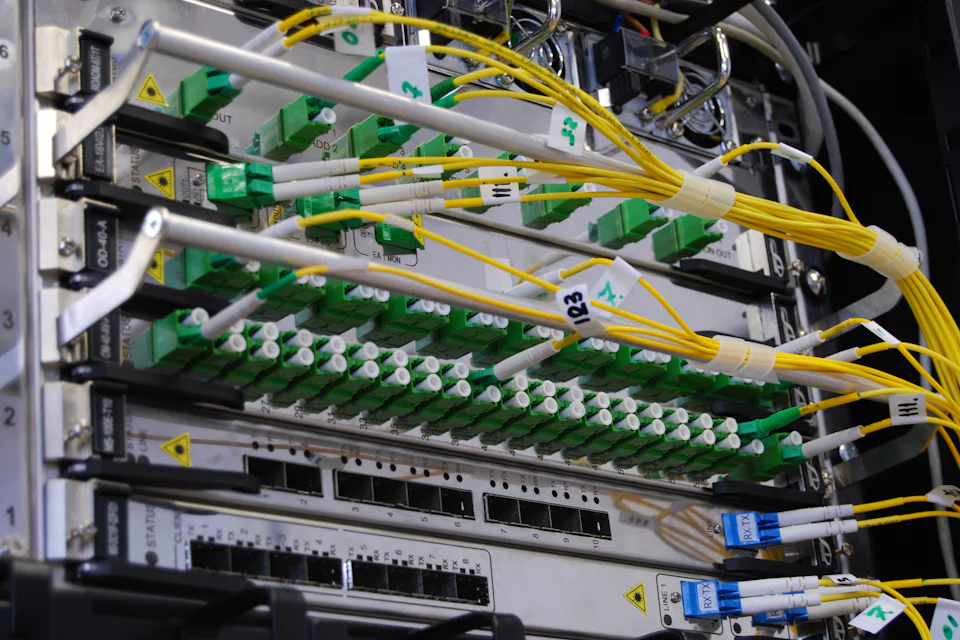
Network cables in a server cabinet
Local means the AI runs on a server in your own building.Photo: Taylor Vick, Unsplash

All company data in one place, on a server on your own premises

Customer data sits in the CRM, orders in the ERP system, contracts on the file server and a lot of knowledge in emails. A data hub brings these sources together via interfaces in a central database on a server within the company. Automations build on it, and so does a local AI that answers questions about all approved company data without any query leaving the building.

Data hub within the company Eight systems are connected to a central database via interfaces. A local AI accesses this database and answers employees’ questions. Everything is inside the building. No internet connection is needed for this. Your company network Your building Internet not needed ERP CRM Email Accounting DMS File server Tickets Time tracking DatabasePostgreSQL, pgvector Local AIOllama, vLLM Employees Data hub within the company Your company network ERP CRM Email Accounting DMS File server Tickets Time tracking DatabasePostgreSQL Local AI Employees Internet: not needed
Sources, database and AI are inside the company network. No internet connection is needed for this.

Questions for the local AI

Sample data from a fictitious engineering company. Choose a question, and the diagram highlights the systems searched.

Which orders for Weber GmbH are still open?

Searched: ERP, CRM and email

Two orders are open for Weber GmbH. Order 24-118 is waiting for material, because the supplier moved the date to week 45, according to the order confirmation of 14 October. Order 24-131 is fully assembled, but the invoice has not been issued yet.

  1. ERP: orders 24-118 and 24-131
  2. Email: supplier’s order confirmation of 14 October 2026
  3. CRM: contact history Weber GmbH
Initial audit
Which systems exist, which data is stored where and who may see what.
Connectors
For each source, a component that imports data at regular intervals or whenever it changes.
Database
Usually PostgreSQL with full-text search and vector search via pgvector, so that the AI can also find content by meaning.
Permissions
Each person only finds what they are allowed to see in the source system.
Logging
Queries and changes are recorded in a traceable way.
Backups
Regular backups following the 3-2-1 rule and a tested way to restore them.
Hardware
A server on site, sized for data volume, model size and number of users.
Access for automation and AI
Via defined interfaces, for example MCP, rather than directly on the raw data.

How much may leave the building?

Not every task needs the same level of protection. Marketing copy calls for different handling than a personnel file or a design drawing. That is why the decision on where the AI runs is made for each use case. There are four operating models to choose from, and they can be combined.

Cloud

Where the AI runsLarge providers, processing in an EU region

Data sovereigntylimited

OverviewThe most powerful language models run with international providers. Many offer data centres in the EU and contractually commit not to use inputs for training. With US providers, there remains a risk that US authorities demand access under the CLOUD Act.

Suitable forTexts, translations, research, programming, public information

Points to noteData processing agreement, no confidential data without review, usage-based costs

ExamplesAzure OpenAI with the EU Data Boundary, Claude via AWS or Google Cloud in the EU, Gemini in EU regions

German cloud

Where the AI runsOpen models in German and European data centres

Data sovereigntyhigh

OverviewGerman providers run open language models in their own data centres. The contracts are subject to German law, and according to the providers the data does not leave the EU. The choice of models is smaller than with the large providers, but it is sufficient for many business tasks.

Suitable forCustomer communication, internal documents with normal protection needs, summaries

Points to noteTest model performance with your own data beforehand

ExamplesIONOS AI Model Hub, STACKIT AI Model Serving, and Mistral as a European provider

Local

Where the AI runsAI server in your own building

Data sovereigntyfull

OverviewThe language model runs on a server in your company. Queries, documents and answers do not leave the company network. An internet connection is only needed for updates. For summarising, searching, classifying and drafting, open models are strong enough in many cases.

Suitable forPersonnel data, contracts, design data, client and patient data, trade secrets

Points to noteHardware purchase, power and maintenance, sizing by model and number of users

TechnologyOllama or vLLM, Open WebUI, models such as Llama, Mistral, Qwen or Gemma

Air-gapped

Where the AI runsNo connection to the internet

Data sovereigntyfull, without internet

OverviewFor the highest requirements, the AI system is physically separated from the internet. This is known as an air gap. Updates and new models enter the network by a controlled route, for example via checked storage media.

Suitable forResearch and development, critical infrastructure, professionals bound by secrecy with special requirements

Points to noteGreater effort for operation and updates

TechnologyAs for local operation, plus a separate network segment and a defined update process

Combined: a router decides on every request

Combined: a router decides on every request A request passes through a check. If it contains personal data or is confidential, it goes to the local model on site. Otherwise it may go to a more powerful model in the cloud. Request Personal data or confidential? yes no Local model Cloud model stays on site more capable Combined: a router decides on every request Request Personal data or confidential? yes no Local model Cloud model stays on site more capable

The operating models can be combined. A router placed in front decides for each request where it may go. If it contains personal data or is marked as confidential, it stays local. Everything else may go to a more powerful model in the cloud.

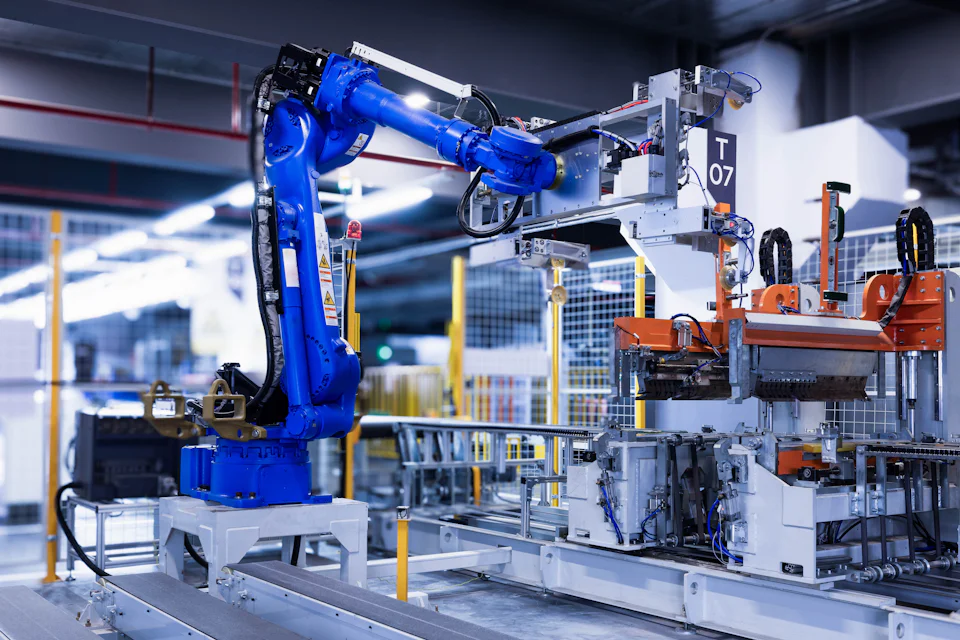
Worker standing in front of a machine in a dark factory hall
Every department has processes worth automating.Photo: Shavr IK, Unsplash

26 examples from businesses and departments

Automation is hard to picture until you recognise your own daily work in it. The examples show typical processes from skilled trades, industry, retail, administration and services. Each one can be adapted to your own software and your own rules.

26 examples

To the right of each example is the operating model that fits best: Local, German cloud or Cloud. The Operating models section explains what this means.

Capture and check incoming invoices

Wholesale / AccountingLocal

Invoices arrive in a shared inbox as PDFs or as e-invoices in the German XRechnung or ZUGFeRD formats. Until now, they have been typed in and compared with the purchase orders by hand.

  1. A new invoice in the inbox starts the workflow.
  2. E-invoices are read directly, and the AI extracts the data from PDFs.
  3. Matching with the purchase order and goods receipt in the ERP.
  4. Discrepancies go to purchasing, matching invoices go for approval.
  5. The posting proposal and document go to accounting, for example to DATEV.
Tools
n8n, local language model, ERP interface, DATEV export
What changes
Documents are no longer typed in. Only discrepancies are checked.

Classify enquiries from the contact form

Mechanical engineering / SalesGerman cloud

Enquiries land in a general inbox. It often takes days before they reach the right person.

  1. The form on the website is submitted.
  2. Company details are added and matched against the CRM.
  3. The AI identifies product, region and urgency.
  4. Assignment to the responsible salesperson, with a summary.
  5. A draft reply with suitable documents is ready.
Tools
n8n, CRM such as HubSpot or Pipedrive, language model
What changes
Enquiries reach the right person straight away, with all the information.

Create quotes from the site visit

Plumbing and heating / EstimatingLocal

After the site visit, the master craftsman spends the evening on the quote. Photos, measurements and notes are scattered across phone and scraps of paper.

  1. A voice memo and photos are saved in an app.
  2. The speech is converted to text locally.
  3. The AI matches the work to items in the company’s own schedule of rates.
  4. A draft quote is created in the trade software.
  5. The master craftsman checks and sends it, and a follow-up reminder comes after seven days.
Tools
Whisper (local), language model, interface to the trade software, n8n
What changes
The draft is ready when the master craftsman gets to the office. It is calculated with the company’s own prices.

Sort tenant requests and damage reports

Property management / Customer serviceGerman cloud

Emails, calls and forms come in every day. Every message has to be read, assigned to the property and passed on.

  1. A message arrives by email, by form or as a phone note.
  2. The AI identifies the request, the property and the flat.
  3. The case is created in the property management software.
  4. For damage, the job for the contracted tradesperson is prepared.
  5. The tenant receives a confirmation with a case number.
Tools
n8n, language model, interface to the property management software
What changes
Property managers see sorted cases instead of a full inbox.

Request missing receipts from clients

Tax advisory firm / Practice organisationLocal

Receipts are missing every month. Chasing them by email and phone takes time that is then lacking for advisory work.

  1. Monthly comparison of open items with the receipts on file.
  2. Personal reminder to the client with a list of the missing receipts.
  3. Incoming receipts are recognised and assigned.
  4. Transfer to DATEV Unternehmen online.
  5. Overview for each client for the staff handling the account.
Tools
n8n, local language model, DATEV interfaces
What changes
Reminders go out on their own. Client data stays on site because of professional confidentiality.

Sort and acknowledge job applications

Home care service / HRLocal

Applications come in via job portals and email. An acknowledgement often takes days, and by then good candidates have gone elsewhere.

  1. An application arrives.
  2. Documents are recognised, and details such as the nursing qualification or driving licence are extracted.
  3. The applicant immediately receives an acknowledgement.
  4. The head of nursing receives a short profile.
  5. Interview dates from the calendar are sent out after approval.
Tools
n8n, local language model, calendar
What changes
Applicants hear back straight away. A person makes the selection. The AI does not rate anyone.

Set up new employees

Engineering consultancy / HR and ITGerman cloud

For every new person, accounts, hardware and access have to be prepared. Often it is only on the first working day that someone notices what is missing.

  1. The signed contract in the HR system starts the workflow.
  2. Accounts in Microsoft 365 and specialist software are created.
  3. Hardware is ordered or reserved from stock.
  4. The manager receives a checklist with dates.
  5. The new person receives all the information about their first day in advance.
Tools
n8n, Microsoft 365, HR software such as Personio, ticket system
What changes
Accounts and devices are ready when the person starts.

Create maintenance reports by voice

Plant engineering / Technical serviceLocal

Technicians write their reports in the evening at the hotel, or not at all. Material and working time are then missing from the billing.

  1. The technician dictates the report into a phone.
  2. The speech is converted to text locally.
  3. The AI structures it into findings, action taken, material and time.
  4. Material is booked in the ERP, and times go into billing.
  5. The customer receives the report as a PDF, and the invoice is prepared.
Tools
Whisper (local), language model, ERP interface, n8n
What changes
Reports are written straight after the job and are complete.

Resolve faults using knowledge from earlier cases

Plastics processing / MaintenanceLocal

When a fault occurs, often only one experienced colleague knows what to do. If that person is not on shift, the machine stands still for longer.

  1. An error code or question is entered at the terminal.
  2. The local AI searches manuals, fault logs and tickets.
  3. An answer with the solution and sources appears.
  4. The technician confirms what helped.
  5. The solution is added to the knowledge base.
Tools
Local language model, knowledge base with RAG, ticket system
What changes
Knowledge from experience is available to every shift.

Reorder suggestions based on stock and sales

E-commerce / Purchasing and warehouseLocal

Restocking is done by gut feeling, or only once an item has sold out.

  1. Daily comparison of stock, sales and delivery times.
  2. A Python service calculates demand for the coming weeks.
  3. The reorder suggestion goes to purchasing for approval.
  4. The approved order goes to the supplier by email or EDI.
  5. Goods receipt is monitored, and delays are reported.
Tools
Python, online shop such as Shopware or Shopify, inventory management, n8n
What changes
Orders are based on figures instead of gut feeling.

Check order confirmations from suppliers

Electrical engineering / PurchasingGerman cloud

Suppliers confirm orders with changed prices or dates. If nobody reads closely, it only becomes apparent when the invoice arrives.

  1. The order confirmation arrives in the purchasing inbox.
  2. The AI extracts items, prices and delivery dates.
  3. Comparison with the purchase order in the ERP.
  4. Discrepancies are flagged and reported to purchasing.
  5. New delivery dates are adopted, and sales is informed.
Tools
n8n, language model, ERP interface
What changes
Discrepancies are spotted before the invoice arrives.

Answer questions about shipment status

Freight forwarding / Customer serviceGerman cloud

Many customer enquiries ask the same thing: where is my shipment? For every answer, someone has to look in several systems.

  1. An enquiry arrives by email or web form.
  2. The AI recognises the shipment or order number.
  3. The status is retrieved from the transport system.
  4. Standard cases are answered directly, with a note that the reply is automated.
  5. Exceptions go to dispatch with a summary.
Tools
n8n, language model, transport management system
What changes
Dispatch deals with exceptions instead of routine questions.

Reply to online reviews

Restaurant / MarketingCloud

Reviews go unanswered because there is no time for them in day-to-day business.

  1. A new review is detected.
  2. The AI writes a draft reply in the house style.
  3. Approval with one click in Teams or by email.
  4. The reply is published.
  5. Once a week, there is an analysis of recurring criticism.
Tools
n8n, language model, Google Business Profile
What changes
Every review gets a reply, and management spots patterns.

Answer guest enquiries in any language

Hotel / ReceptionGerman cloud

Enquiries arrive in English, Dutch or Polish. Reception answers them in between check-ins and phone calls.

  1. An enquiry comes in.
  2. The AI identifies the language, dates and requests.
  3. Availability and prices come from the hotel system.
  4. A draft reply in the guest’s language is ready.
  5. Reception checks and sends it, and the requests are added to the booking.
Tools
n8n, language model, interface to the hotel system
What changes
Guests receive a complete reply sooner.

Keep track of contract deadlines

Facility management / AdministrationLocal

Maintenance, rental and supply contracts are stored as PDFs on the server. Notice periods are missed because nobody wrote them down.

  1. Contracts are read from the document archive.
  2. The AI identifies the term, notice period and price clauses.
  3. The deadlines are entered in a shared calendar.
  4. The people responsible are reminded 90 and 30 days in advance.
  5. New contracts are added automatically.
Tools
Local language model, document archive, calendar, n8n
What changes
Deadlines are documented and trigger a reminder in good time.

Find suitable tenders

Construction company / SalesCloud

Public tenders are spread across many platforms. Nobody manages to review them every day alongside regular business.

  1. Public procurement platforms are queried daily.
  2. The AI checks trade, region, volume and deadlines against the company’s own profile.
  3. Suitable tenders are briefly summarised.
  4. Documents are downloaded, and a project folder is created.
  5. The overview arrives by email every morning.
Tools
Python, n8n, language model
What changes
Pre-screened tenders instead of lengthy research.

Monthly report for management

Retail chain / Financial controlLocal

Every month, figures from the tills, inventory management and accounting are copied together in Excel.

  1. Every night, data from all systems is transferred to the central database.
  2. Key figures are calculated for each branch.
  3. A dashboard shows the current status at any time.
  4. On the third working day, a report is generated, and the AI comments on notable deviations.
  5. The report goes to management and the branch managers.
Tools
Python, PostgreSQL, Next.js, local language model
What changes
Figures are up to date every day, and the report is produced without any copying.

Payment reminders with good judgement

Advertising agency / AccountingGerman cloud

Overdue invoices are chased late because nobody wants to send a good customer a harsh reminder.

  1. Open items are checked daily.
  2. A suitable text is chosen depending on the customer and the reminder stage.
  3. Regular customers first receive a friendly reminder.
  4. Before the final stage, the account manager is consulted.
  5. An incoming payment ends the workflow automatically.
Tools
n8n, accounting software such as Lexware Office or sevDesk, language model
What changes
Reminders go out on time, and the tone suits the customer.

Analyse complaints and spot clusters

Household goods / Quality managementGerman cloud

Complaints come in via the online shop, retailers and email. When faults in one batch pile up, this is often noticed late.

  1. A complaint with photos comes in.
  2. The AI describes the defect and assigns it to a category.
  3. Batch and production date are determined from the order.
  4. The case is created in the quality management system.
  5. If cases cluster, quality assurance is notified immediately.
Tools
n8n, language model with image processing, ERP, QM software
What changes
Clusters become visible early.

Explain work instructions in the employee’s own language

Food production / TrainingLocal

Many employees speak little German. Hygiene and work instructions are signed but not always understood.

  1. Approved instructions are stored in the knowledge base.
  2. Employees ask questions on a tablet in their own language.
  3. The local AI answers only on the basis of the approved documents.
  4. Short comprehension questions complete the briefing.
  5. Participation is documented.
Tools
Local language model, knowledge base with RAG, interface in Next.js
What changes
Briefings are understood and documented in a verifiable way.

Book appointments and fill gaps

Physiotherapy practice / ReceptionLocal

The phone rings during treatment. Cancellations leave gaps that nobody fills.

  1. An appointment request comes in by form or email.
  2. Suitable free slots are suggested from the calendar.
  3. Confirmation and reminder go out automatically.
  4. When an appointment is cancelled, the waiting list is contacted.
  5. Whoever confirms first gets the appointment.
Tools
n8n, practice calendar, email or SMS
What changes
Fewer calls during treatment, and cancelled appointments are filled again.

Create product descriptions from manufacturer data

Specialist tool retailer / Online shopCloud

For every new item, technical data has to be transferred from PDF data sheets and descriptions have to be written.

  1. The manufacturer’s data sheet is uploaded.
  2. The AI extracts the technical features.
  3. A product description is written in the shop’s style, in several languages if required.
  4. An employee checks the data and the text.
  5. The item is imported into the shop or product database.
Tools
Python, language model, Shopware, Shopify or WooCommerce
What changes
New items go online faster, and the data is consistent.

Monitor and invoice project budgets

Architecture practice / Project controllingLocal

Whether a project is within budget often only becomes clear with the final invoice.

  1. Recorded hours are imported daily.
  2. Comparison with the budget for each work stage.
  3. At 80 per cent of the budget, the project manager receives a notification.
  4. Interim invoices are prepared.
  5. Invoices are created as e-invoices in XRechnung or ZUGFeRD format.
Tools
Python, time tracking, PostgreSQL, n8n
What changes
Overruns are spotted while there is still time to act.

Distribute a shared inbox automatically

Insurance broker / AdministrationLocal

Customers, insurers and prospective customers write to the general inbox. Sorting is done by hand.

  1. A new email arrives.
  2. The AI identifies the request, such as a claim notification, contract change or cancellation.
  3. The customer is found in the broker software.
  4. The case is created and assigned to the responsible person.
  5. The sender receives an acknowledgement of receipt.
Tools
n8n, local language model, broker management software
What changes
Every email goes straight to the responsible person.

Bundle and assess IT alerts

Mid-sized company / ITLocal

Firewall, backup and antivirus software send many alerts every day. The important one gets lost in the volume.

  1. Alerts from all systems come together in one place.
  2. Duplicate and known alerts are filtered out.
  3. The AI summarises them and estimates the urgency.
  4. Critical alerts go straight to the IT team’s phone.
  5. Everything else appears in a daily overview, with the backup status.
Tools
n8n, local language model, monitoring
What changes
Critical issues stand out, and the rest does not get in the way.

Keep customers informed about repair progress

Car repair garage / Customer serviceGerman cloud

Customers call to ask whether their car is ready. Mechanics are taken away from their work to answer.

  1. The job is created in the garage system.
  2. Status changes such as ‘Part ordered’ or ‘Vehicle ready’ are detected.
  3. The customer receives a message by SMS or email.
  4. Additional work goes for approval with a photo and a cost estimate.
  5. The customer’s approval goes straight into the job.
Tools
n8n, garage software, SMS or email
What changes
Fewer calls, and approvals come in faster.

If one of these processes is costing you time: describe it briefly in the contact form or call (+49) 15679 523209.

Woman entering details from paper documents into a computer
Any task that someone does the same way every day is a candidate.Photo: cornerstone accounting Services, Unsplash

Where companies lose time and money

Automation pays off where the same work is repeated often, where data is copied by hand between programs or where knowledge exists only in individual people’s heads. How big the effect is depends on the business. But the following points come up almost everywhere.

Duplicate data entry

Customer data, orders and times are entered in several programs. Every transfer takes time and causes typing errors.

Searching

In 2012, the McKinsey Global Institute estimated that knowledge workers spend almost a fifth of their working time looking for internal information or for the right person to ask.1

Waiting and forwarding

Cases sit in inboxes until someone reads them and passes them on. The actual work takes minutes, the case takes days.

Errors and rework

Wrong amounts, missed deadlines, enquiries left unanswered. Corrections cost extra time and sometimes a customer.

Knowledge that retires

Experienced employees know how machines, customers and special cases work. This is rarely written down.

New obligations

Since 2025, companies in Germany have had to be able to receive e-invoices. From 2027, sending them is mandatory for companies with a prior-year turnover of more than €800,000, and from 2028 for all. If you have to process invoices digitally anyway, you can automate the process at the same time.2

57%of companies with 20 or more employees use AI, up from 36 per cent a year earlier. Nine in ten still see themselves at an early stage. These are the results of a survey of 603 companies by Bitkom, the German digital industry association, published in September 2026.3

Since February 2025, the EU AI Act has also required companies to promote AI literacy among their staff.4

Calculate with your own figures

Take a recurring task, such as typing up invoices or sorting enquiries. The calculation shows how much working time goes into it today.

50%

495hours a year go into this task today

At your hourly rate, that is €22,275 in internal costs a year.

Your estimated share equals 248 hours, or around 31 working days.

A sample calculation based on your input. Whether and how much can actually be automated only becomes clear in the process analysis.

When AI is not the right solution

  • When the process itself is unclear. Automating a disorganised process only makes it disorganised faster.
  • When data is missing or contradictory. Then the data foundation comes first.
  • When decisions have legal or personal consequences. There, AI prepares the decision and people must make it.
  • When a mistake would be costly. Language models can be wrong, so a person checks at critical points.
  1. McKinsey Global Institute: The social economy, July 2012
  2. DATEV: E-invoicing from 2027 (in German)
  3. Bitkom: For the first time, a majority of companies use AI (in German), 14 September 2026
  4. Regulation (EU) 2024/1689, Article 4: AI Act on EUR-Lex

How a project runs

In small steps, each of which is useful in its own right. After each step, you decide whether to continue.

  1. Initial consultation

    You describe where things get stuck. Together we clarify whether automation or AI is the right approach at all.

  2. Process analysis

    Processes, the programs involved, data volumes and protection needs are recorded. The result is a list of starting points with effort and benefit.

  3. Pilot

    A manageable process is implemented and tested in daily work. What changes is measured before and after.

  4. Expansion

    Further processes are added, and the data hub grows with them. Interfaces are built once and used many times.

  5. Operation

    Monitoring, updates and backups continue. Employees are trained, and every solution is documented.

Frequently asked questions

Your question is not listed? Write to us using the contact form.

What does AI integration mean?

AI integration means embedding language models and other AI methods in a company so that they work with the existing software and the company’s own data. This includes interfaces, a suitable operating model, rules for data protection and permissions, and training for employees. A single chat window in the browser is not yet an integration.

Do we need our own server for AI?

Not necessarily. For many tasks, AI services from German data centres are sufficient. Your own server makes sense when confidential data is processed, such as personnel files, client or patient data, design documents or contracts, or when a very high number of requests would cause ongoing costs with a provider.

What hardware does a local AI need?

That depends on the model size and the number of simultaneous users. As a rough guide, models with 7 to 14 billion parameters run on a graphics card with 16 GB of memory, models with around 30 billion parameters need about 24 GB, and very large models need several graphics cards or server GPUs. Hardware is only recommended after a test with your own documents and questions.

Is AI compatible with the GDPR?

Yes, if the processing is properly planned. This includes a legal basis, a data processing agreement with every provider, a check on whether data leaves the EU, and technical safeguards. It is easiest with local models, because the data does not leave the company. This assessment is no substitute for legal advice.

What does the EU AI Act require of companies?

Since 2 February 2025, companies that use AI have had to promote AI literacy among their staff. Since 2 August 2026, transparency obligations have applied. For example, a chatbot must be recognisable as AI. Stricter rules for high-risk systems, such as the automated selection of job applicants, have been postponed to December 2027. These points are taken into account in every project, but this is no substitute for legal advice.

What is n8n?

n8n is software for automated workflows. Workflows are assembled from building blocks, such as fetching emails, checking data, querying the AI and creating an entry in the CRM. n8n can run on your own servers, so data does not pass through third-party platforms. Where building blocks are not enough, Python or JavaScript fills the gap.

Can any software be connected?

Almost any. Ideally via an application programming interface (API). If there is none, the connection is made via the database, file exports, email or, as a last resort, the user interface. Even older industry-specific software can usually be integrated this way. The process analysis shows whether and how.

What happens if an automated workflow fails?

Every workflow has error handling. If a step fails, the case is paused and a responsible person is notified. All runs are logged and can be traced.

Will AI replace employees?

The aim is to relieve people of routine work such as typing, sorting, searching and chasing. Decisions that carry weight, such as approvals, staff selection or commitments to customers, stay with people.

What does a project cost?

That depends on the scope. A single workflow is considerably cheaper than a data hub with local AI. After the process analysis, you receive a written quote with a clearly described scope and, if you wish, a monthly fee for operation and maintenance.

Do you only work in Jena and Thuringia?

No. The business is based in Jena, and projects run throughout Germany. Much can be done by video call and remote access. An on-site appointment is possible for the process analysis or hardware.

Key terms explained

The most important technical terms in AI integration and automation, each in one or two sentences.

AI integration
Embedding language models and other AI methods in the existing software, data and processes of a company. This includes interfaces, a suitable operating model, rules for data protection and permissions, and training for employees.
Process automation
Recurring processes run on their own via software, triggered by an event such as a new email, an entry in the CRM or a set time. At defined points, a person checks and decides.
Local AI
A language model that runs on the company’s own hardware, also called on-premises AI. Queries, documents and answers do not leave the company network.
Data hub
A central database within the company that brings together data from ERP, CRM, email, document management and other systems via interfaces. Automations and AI access it through defined routes.
Retrieval Augmented Generation (RAG)
A method in which a language model searches approved internal documents for relevant passages before each answer and bases its answer on them, citing the source.
Model Context Protocol (MCP)
An open standard through which AI applications access tools and data sources in a controlled way, such as a database or a ticket system.
n8n
A platform for automated workflows that can be run on your own servers. Workflows are assembled from building blocks and extended with JavaScript or Python where needed.
Air gap
The physical separation of an IT system from the internet. Updates and new models only reach the isolated network by a controlled route, for example via checked storage media.
E-invoice
An invoice in a structured, machine-readable format such as XRechnung or ZUGFeRD, the formats used in Germany. Companies in Germany have had to be able to receive them since 2025. Sending them becomes mandatory in 2027 for companies with a prior-year turnover of more than €800,000, and in 2028 for all.
AI literacy
Since 2 February 2025, Article 4 of the EU AI Act has required companies that use AI systems to ensure a sufficient level of AI literacy among their staff, for example through training.
Data processing agreement
A contract under Article 28 GDPR that a company concludes with every service provider that processes personal data on its behalf, such as a cloud AI provider.


Contact and initial consultation

Briefly describe which process is costing time or which data you would like to make usable. You will receive a reply by email.

0 of 4,000 characters

Required fields are marked with *. Your details are only used to handle your enquiry. You can find more in the privacy policy. The spam protection works without cookies and without third-party services.

Call Send enquiry